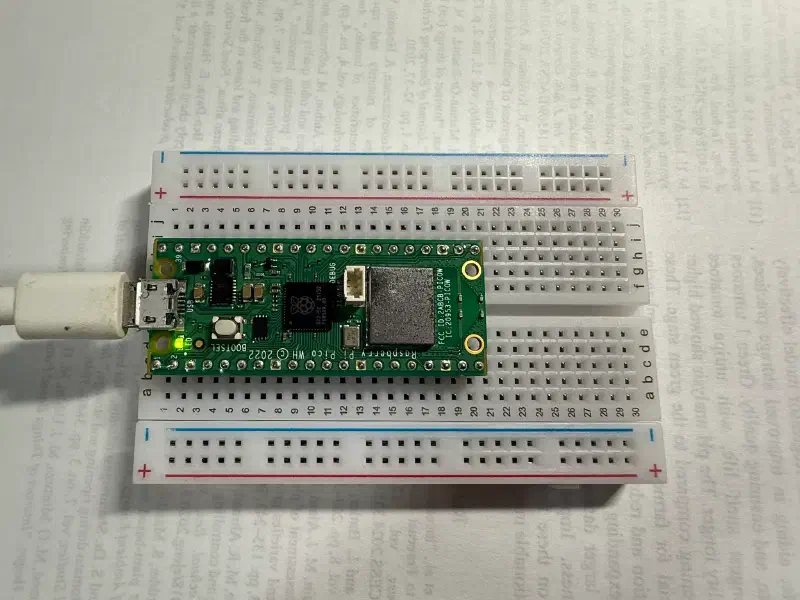
Introduction #
You will need the Raspberry Pi Pico C SDK development environment.
This article primarily uses VS Code.
FreeRTOS Setup #
From GitHub - raspberrypi/pico-examples/freertos/,
FreeRTOS_Kernel_import.cmakeFreeRTOSConfig_examples_common.hFreeRTOSConfig.h
to your project.
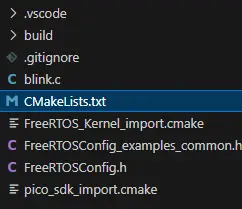
Here, FreeRTOSConfig.h references the settings in FreeRTOSConfig_examples_common.h.
Since you need to configure FreeRTOS in CMakeLists.txt, add or modify the following content.
Setting the FreeRTOS-Kernel Environment Variable #
set(FREERTOS_KERNEL_PATH ${USERHOME}/.pico-sdk/FreeRTOS-Kernel CACHE PATH "Path to FreeRTOS Kernel")Replace ${USERHOME}/.pico-sdk/FreeRTOS-Kernel with your own path.
If you haven’t installed the FreeRTOS kernel yet, download it from here.
https://github.com/FreeRTOS/FreeRTOS-Kernel
Including FreeRTOS Kernel Libraries #
# FREERTOS: include FreeRTOS Kernel libraries
include(FreeRTOS_Kernel_import.cmake)
Linking Common Dependency Libraries #
# pull in common dependencies
target_link_libraries(blink
    pico_stdlib
    FreeRTOS-Kernel-Heap4
)
if (PICO_CYW43_SUPPORTED)
    target_link_libraries(blink
    pico_cyw43_arch_none
    FreeRTOS-Kernel-Heap4
)
endif()
After making these changes, compile the project.
Configuring the LED Task #
In the main file, add FreeRTOS.h and task.h after setting up the basic configuration.
#include "FreeRTOS.h"
#include "task.h"
To control the LED, we use the pico_set_led(bool led_on) function from the blink demo.
// Turn the LED on or off
void pico_set_led(bool led_on) {
#if defined(PICO_DEFAULT_LED_PIN)
    // Just set the GPIO on or off
    gpio_put(PICO_DEFAULT_LED_PIN, led_on);
#elif defined(CYW43_WL_GPIO_LED_PIN)
    // Ask the Wi-Fi "driver" to set the GPIO on or off
    cyw43_arch_gpio_put(CYW43_WL_GPIO_LED_PIN, led_on);
#endif
}
The following is the part I wrote myself.
Create a task function called led_task.
void led_task() {
    int rc = pico_led_init();
    hard_assert(rc == PICO_OK);
    while (true) {
        pico_set_led(true);
        vTaskDelay(pdMS_TO_TICKS(1000));
        pico_set_led(false);
        vTaskDelay(pdMS_TO_TICKS(1000));
    }
}
Here, we set a delay of 1000 ms.
Finally, add the following code to the main function.
int main() {
    stdio_init_all();
    xTaskCreate(led_task, "LED Task", 256, NULL, 1, NULL);
    vTaskStartScheduler();
}
stdio_init_all - Initializes all standard stdio types.
xTaskCreate - Creates a new task.
vTaskStartScheduler - Runs the RTOS scheduler.
The LED flashed successfully every second.