Backend #
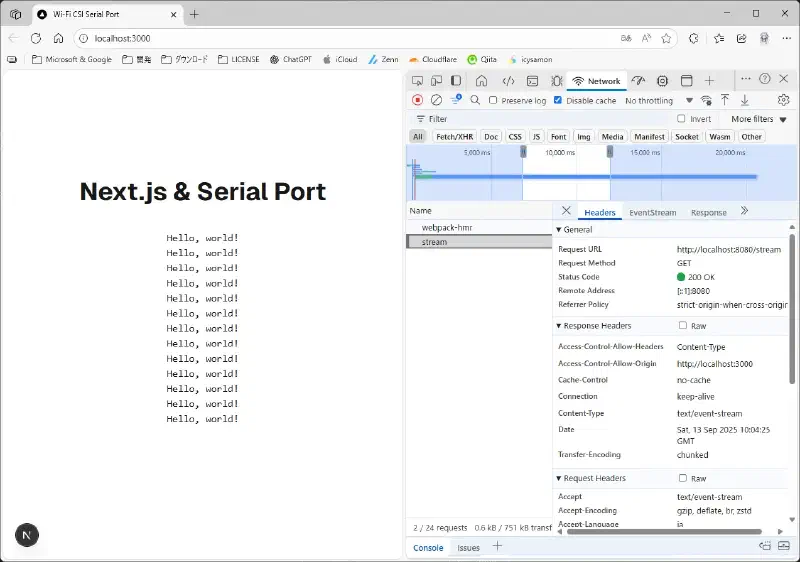
The backend is primarily responsible for collecting serial communication data and handling SSE communication.
Prerequisites #
Create a serial-port.js file, import the necessary packages, and define variables.
import { SerialPort } from 'serialport'
import http from 'http'

let data
Serial Communication #
Write the following code in serial-port.js.
const port = new SerialPort({
        path: 'COM4',
        baudRate: 115200
    }, function(err) {
        if (err) {
        return console.log('Error on write: ', err.message);
    }
    console.log('Found the port');
});

port.on('data', function(temp) {
    console.log('Data:', temp);
    data = temp.toString('utf8');
});

port.on('error', function(err) {
    console.log('Error: ', err.message);
});
SSE Communication #
Here, we’ll use port 8080.
const server = http.createServer((req, res) => {
    if (req.url === '/stream') {
        res.writeHead(200, {
            'Content-Type': 'text/event-stream',
            'Cache-Control': 'no-cache',
            'Connection': 'keep-alive',
            'Access-Control-Allow-Origin': 'http://localhost:3000',
            'Access-Control-Allow-Headers': 'Content-Type'
        });
        const sendData = () => {
            if (data && data.length > 2 ) {
                res.write(`data: ${data}\r\n\r\n`);
            }
        };
        const interval = setInterval(sendData, 1000);
        req.on('close', () => clearInterval(interval));
    } else {
        res.writeHead(200, { 'Content-Type': 'text/html;charset=utf-8' });
        res.end('<p>waiting for data...</p>');
    }
});

server.listen(8080, () => {
    console.log('Server running on http://localhost:8080/stream');
});
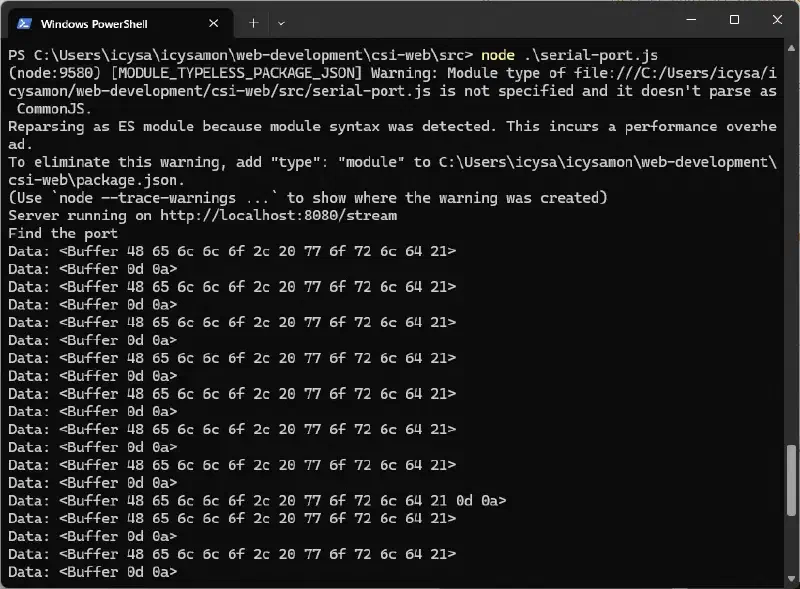
Then, I ran node .\serial-port.js in the terminal, and serial communication worked.
Tip
If you can’t find a package, try npm install <package name>.
Frontend #
Creating a React App #
Here, we’ll use Next.js (App Router).
npx create-next-app@latestOn Windows, you’ll need to grant permissions using
Set-ExecutionPolicy RemoteSigned -Scope Process.
page.tsx #
Import the packages.
import { useEffect } from "react";Add HTML code to the return() statement of the Home() function to display data.
<pre id="data-output"></pre>Receive data from the SSE connection and display it on the site.
export default function Home() {
  useEffect(() => {
    const sse = new EventSource('http://localhost:8080/stream');
    const pre = document.getElementById('data-output');
    sse.onmessage = (event) => {
      console.log('Serial Port Data: ', event.data);
      if (pre) {
        pre.textContent += event.data + '\n';
        pre.scrollTop = pre.scrollHeight; // Auto scroll to bottom
      }
    };
    return () => {
      sse.close();
    };
  }, []);
Running the Application #
Build the site.
npm run buildRun the site.
npm run dev